Selected workWrangler + Lee

01.1 / Wrangler + Lee

Apparel image
workflow.

A seasonal B2B image workflow connecting generative cleanup, image preparation and product-specific review.

Shooting throughput · internal estimate

~20 → ~100 garments/day at the shooting stage only.

Context
Circular Agency · B2B apparel imagery
My role
Workflow design, tool integration and image correction
Output
Seasonal product visualisation
Tools
Gemini API, ImageMagick, OpenCV, SAM3, Photoshop

01.1.1 / Workflow

Processing and review.

Human review determines which images need logo restoration or further product corrections.

STEP 01 / Human input

Capture

Photograph the garment

STEP 02 / Generative cleanup

Clean

Gemini API

STEP 03 / Crop / resize / background

Prepare

ImageMagick + local models

STEP 04 / Human judgement

Review

Select further corrections

STEP 05 / Selected logos

Restore

OpenCV + SAM3

STEP 06 / Product-specific changes

Correct

Photoshop

Reconstructed workflow · review determines which images need restoration or manual correction.

01.1.2 / Developed tools

Cleanup and detail restoration.

Focused tools support repeatable processing and targeted corrections.

01.1.2.1 / Cleanup and preparation

Batch cleanup.

An input folder, an output folder and the Gemini API connect the batch process.

Batch cleanupInterface schematic
Input folder
input/garments
Output folder
output/cleaned
Gemini API key
••••••••••••
Original capture
Generated cleanup

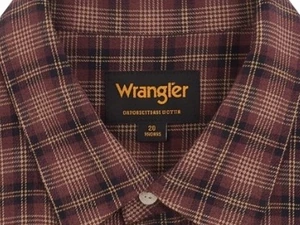
Project images show the original capture and generated cleanup. The interface schematic represents the batch tool’s input and output folders and Gemini API access.

01.1.2.2 / Logo restoration · 100% local

Restore the product detail.

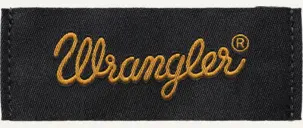
A separate reference file supplies the correct logo. Selected details are restored through masking and compositing.

Generated label
Supplied reference
Restored label

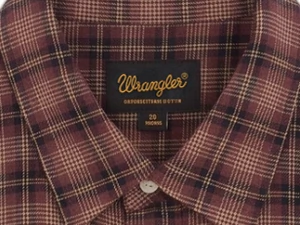
Corresponding collar crops from the generated image and the final image, shown at a matching scale. The restoration tool was developed with AI-assisted coding using OpenCV and SAM3, with human review.

01.1.3 / Inside the tool

Logo restoration.
Five steps.

From garment photos and a separate logo file to corrected images, processed entirely locally.

WORKFLOW SCHEMATIC / 100% LOCAL

  1. 01.1.3.1 / STEP 01

    Prepare the assets.

    Load garment photos, the new transparent logo and, optionally, an old-logo reference. Skip images already processed.

    Garment photosNew RGBA logoOld-logo reference / optional
  2. 01.1.3.2 / STEP 02

    Locate the logo.

    SAM3 uses a text prompt to find candidate labels, including small logos, and returns their boxes and confidence scores.

  3. 01.1.3.3 / STEP 03

    Keep the right label.

    Reject care and size tags, check the logo colours and exclude supplementary text from the restoration mask.

    Logo Care / size tags Extra text
  4. 01.1.3.4 / STEP 04

    Respect fabric overlaps.

    Optional occlusion handling detects collars and folds, keeping the replacement behind any fabric that covers the label.

  5. 01.1.3.5 / STEP 05

    Restore and export.

    Fit the new logo proportionally, or restore it to match the label’s angle and fabric texture. Save the image for review.

    Fit + compositeRestore on fabric
    Corrected image
Local detection, masking and compositing avoid generating a new image for every logo correction.
Technical details: inputs, backends and controls

Inputs and batch handling

Garment photos
imgs/clothings/
New logo
imgs/logo/ · transparent RGBA PNG
Old-logo reference
imgs/logo2Find/ · optional
Completed images
imgs/output/ · existing results are skipped

Local backends

MLX SAM3 on Apple Silicon; PyTorch SAM3 with CUDA when available; an analytical OpenCV fallback.

Image-generation API charges and the wait for local image generation are avoided for each correction.

Detection and mask checks

Text grounding finds candidate labels. The minimum area can be configured down to 0.01% of the image. Care-label detections with more than 20% IoU overlap are excluded.

For the Wrangler labels, CIELAB and HSV checks identify warm yellow/gold lettering on dark patches. Mask refinement excludes supplementary text.

In occlusion mode, the overlap between label and fabric masks is removed from the replacement, with antialiased alpha edges.

Two application modes

Fit + composite: Lanczos resizing preserves the logo’s proportions, centres it in the detected box and applies alpha compositing.

Restore: reference letter shapes guide alignment; the old lettering is removed while retaining the label background, angle and fabric appearance.

Export: PNG or JPEG at quality 95. Optional debug images show detection boxes for visual inspection.
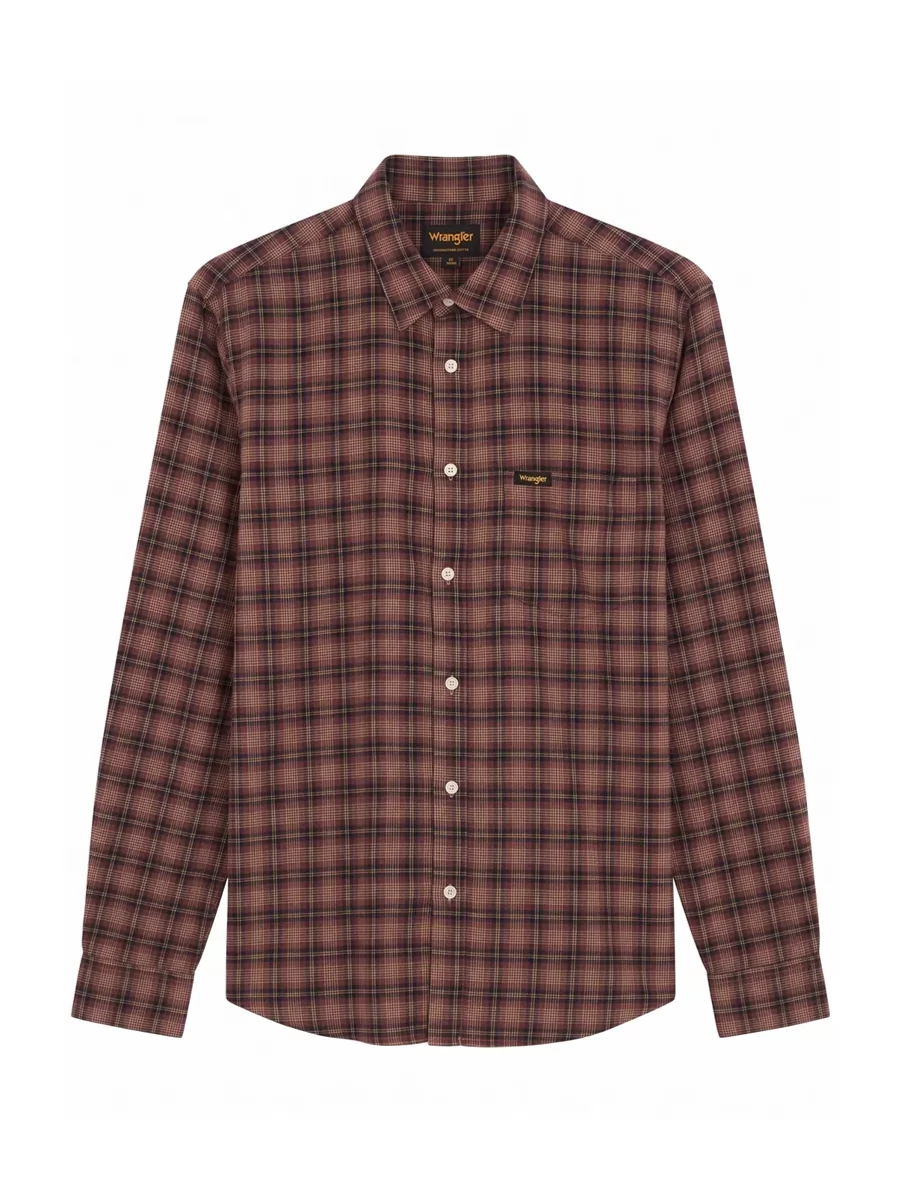
01.1.4 / Outcome

Production in context.

WORKFLOW SCALE~1,200

garments across two seasons

SHOOTING THROUGHPUT~20 → ~100

garments/day at the shooting stage only

Internal estimate · shooting stage only

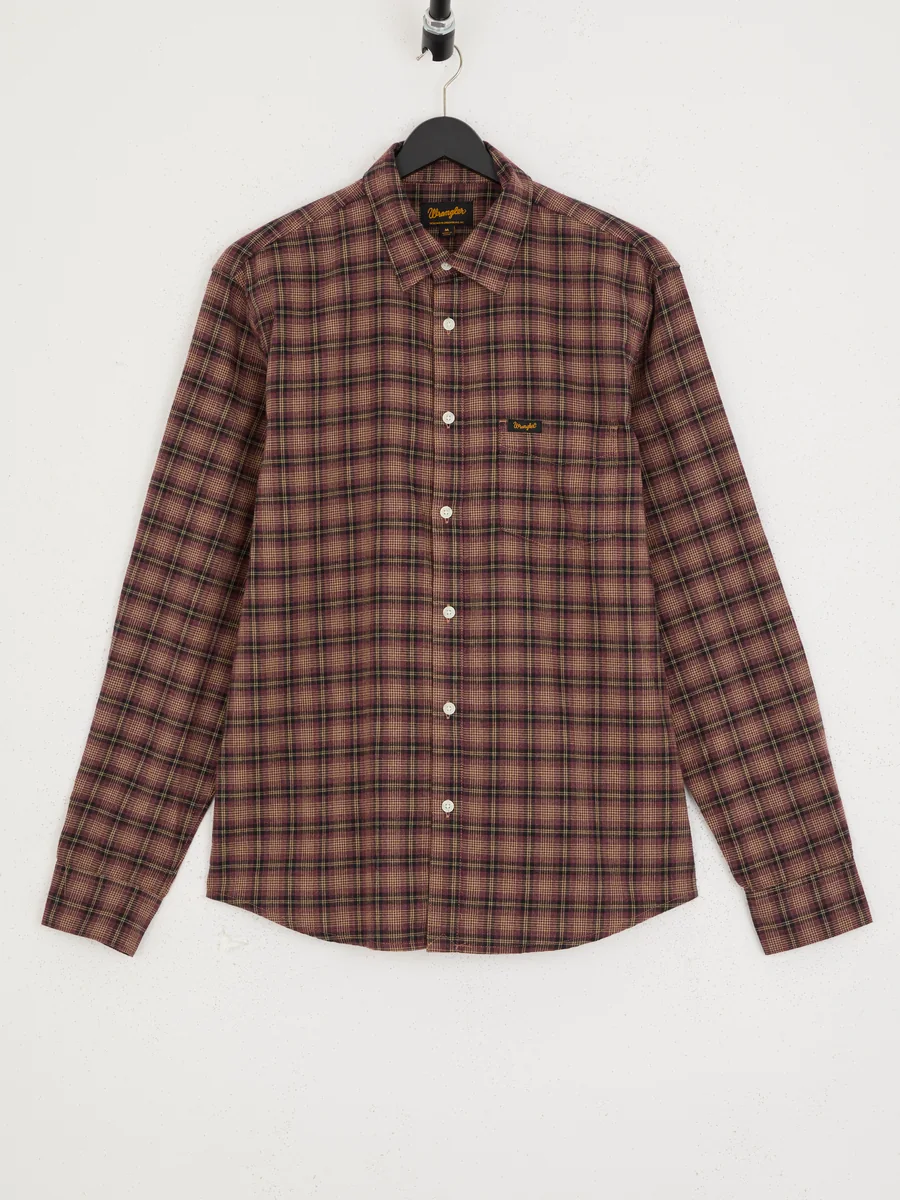
The workflow combined repeatable processing with garment-specific review and correction. The shooting estimate does not measure end-to-end production throughput: cleanup, logo restoration and final corrections are separate stages.

← All selected workNext: Timberland

Enlarged portfolio image