01.4 / Dickies
From CAD
to look.
Connected ComfyUI workflows turn early-stage garment drawings into realistic product previews and art-directed lifestyle looks.
Result
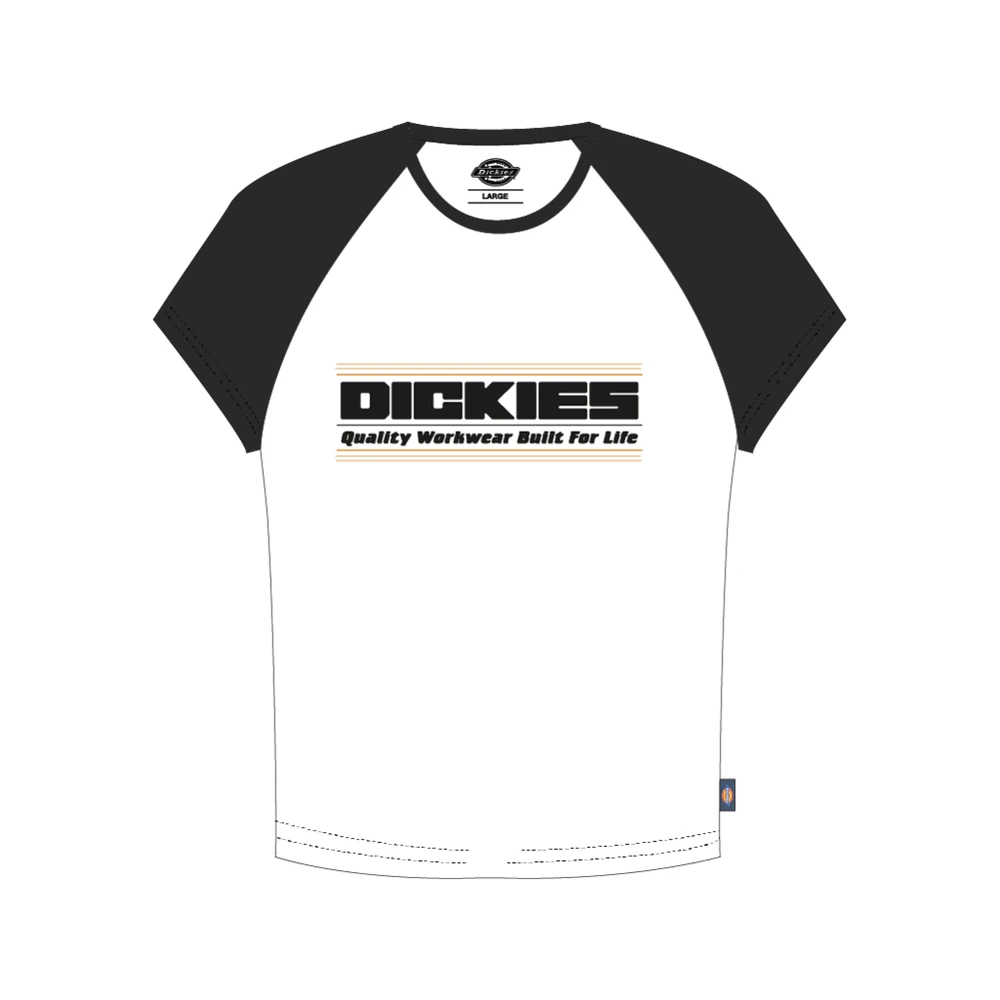
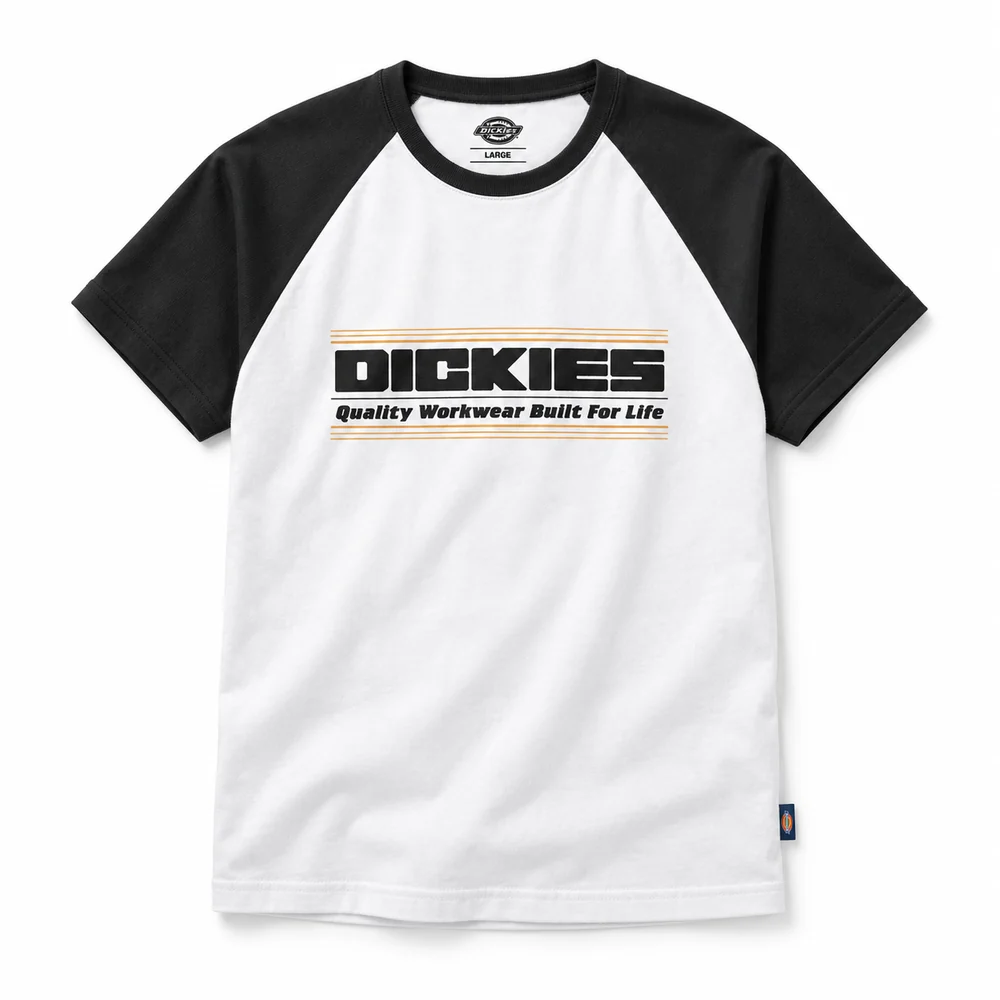
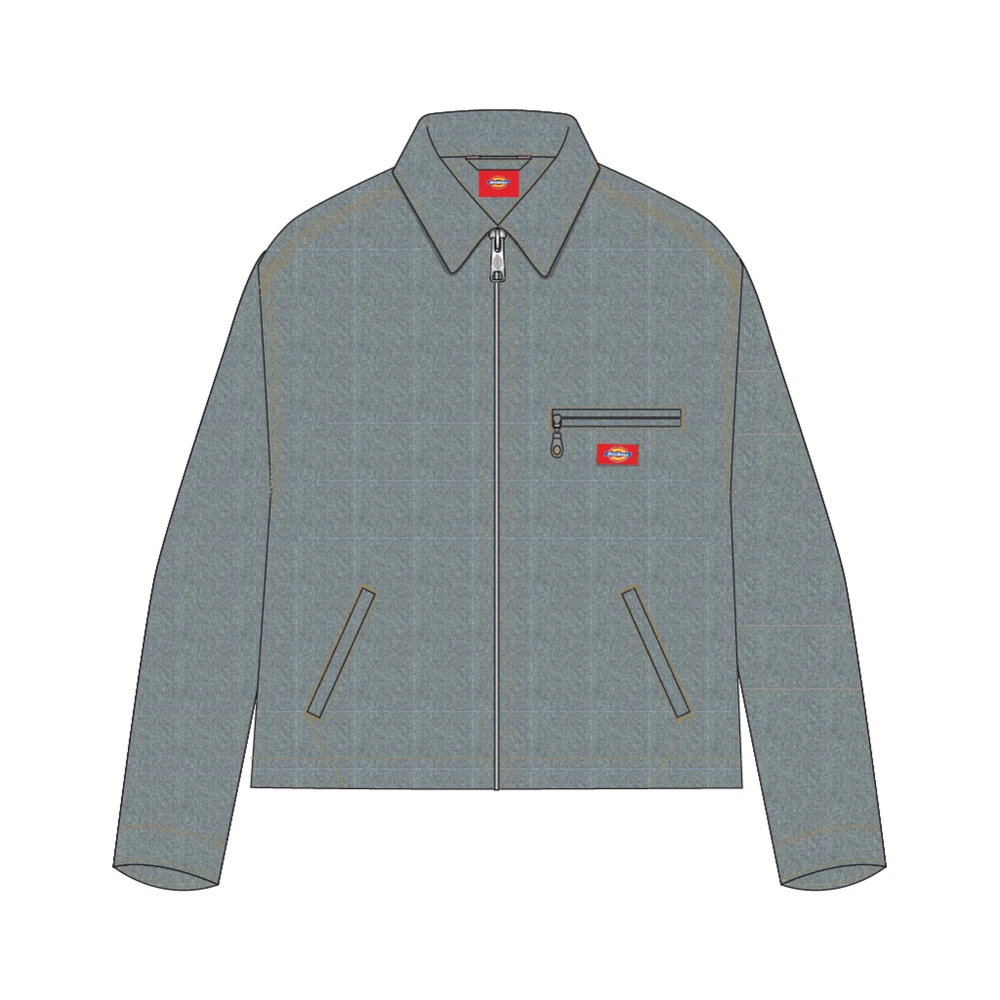
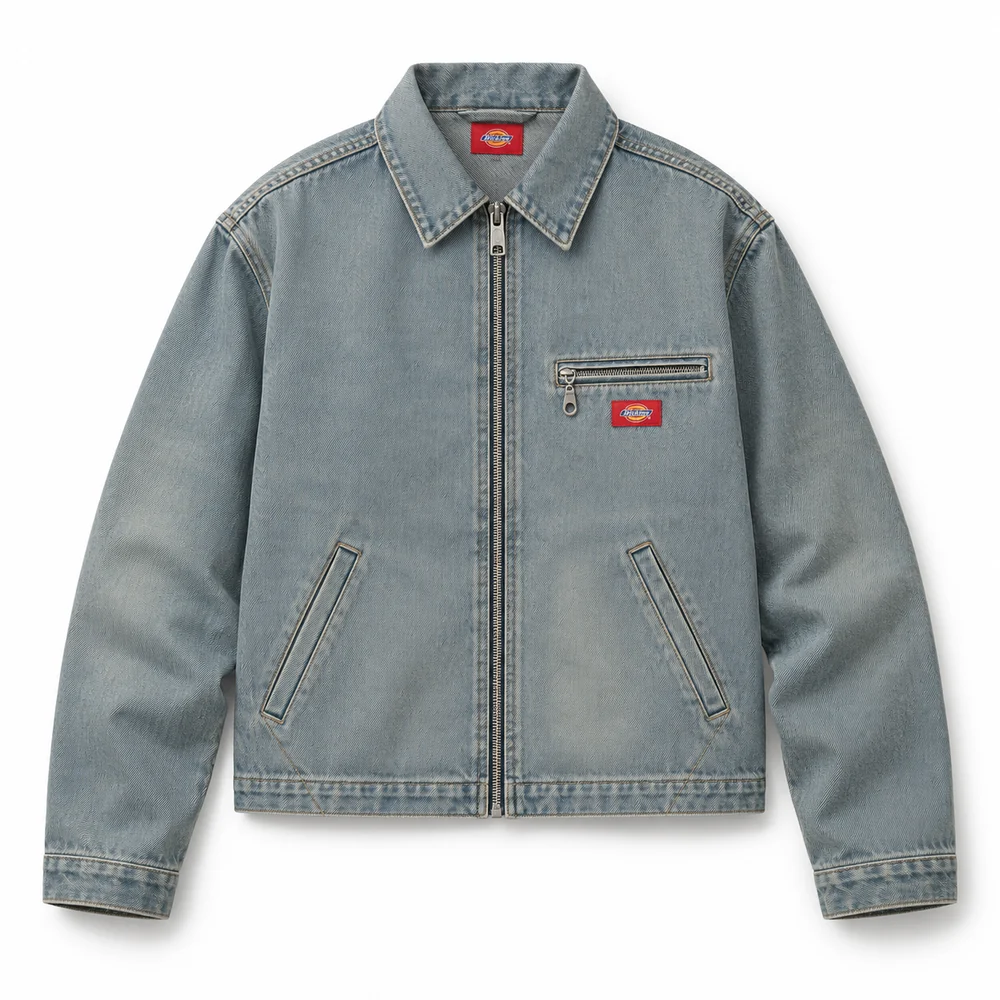
Realistic previews support initial garment assessment before physical samples are available.
- Context
- Circular Agency · Apparel imagery
- My role
- Internal workflow development, model testing and refinement
- Scope
- Approx. 100 garment previews and 10 selected lifestyle looks
- Tools
- ComfyUI, SDXL, Flux, ControlNet, IP-Adapter, Photoshop
01.4.1 / Product previews
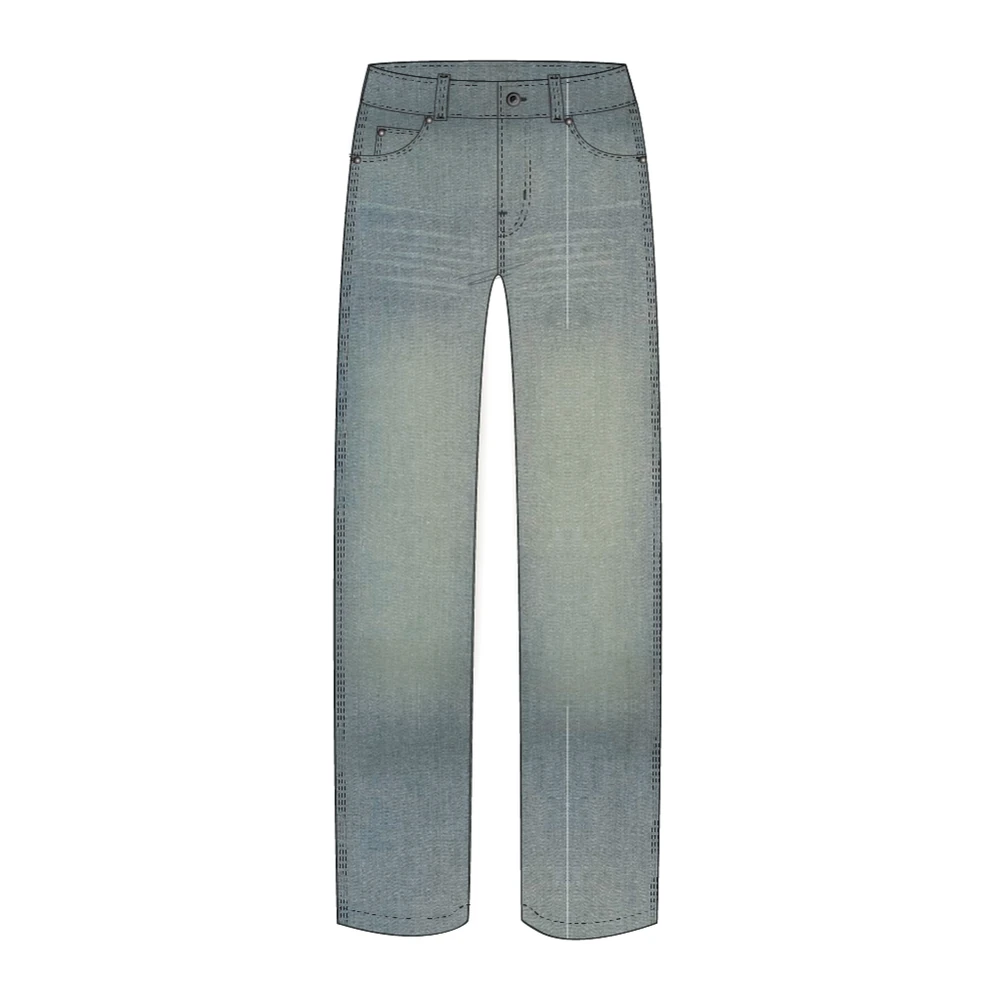
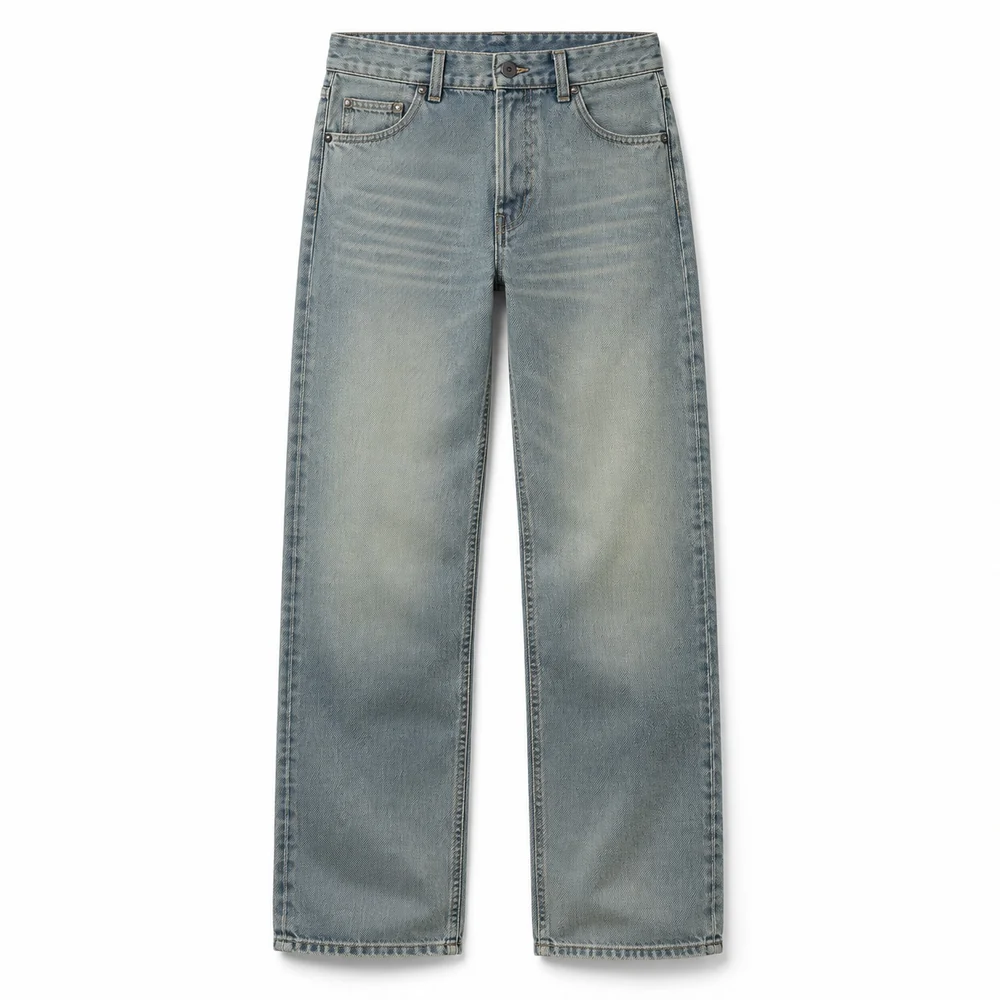
From drawing to flat lay.
Three garment drawings become realistic product previews: a T-shirt, jacket and trousers.
01.4.2 / Scene and pose
Guide the base image.
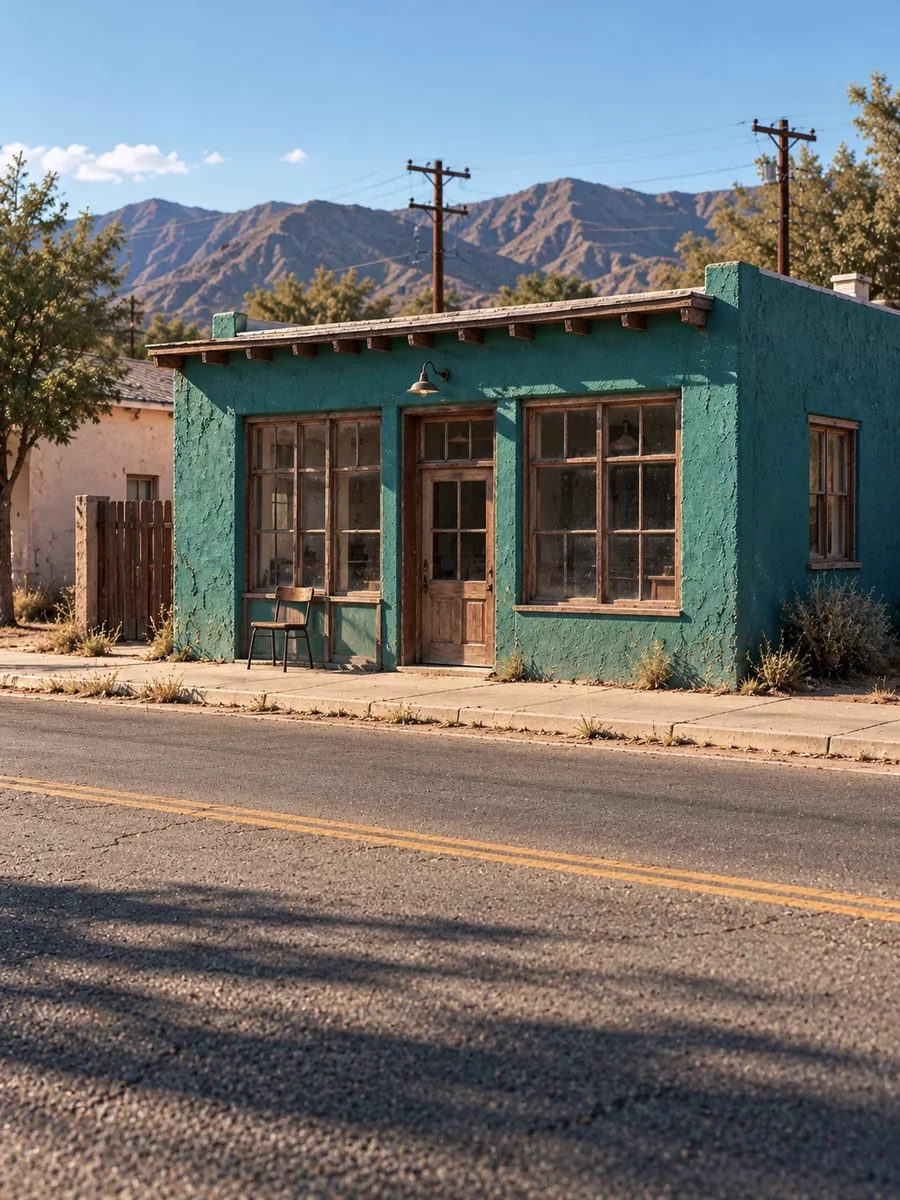
Pose and setting are controlled separately: ControlNet for Flux guides the body pose; IP-Adapter guides the environment.
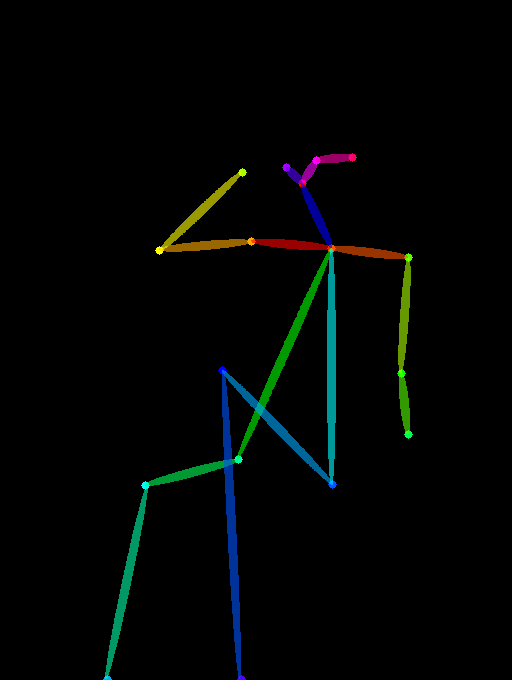
- ControlNet for Flux
- Pose guidance
- IP-Adapter
- Setting and visual atmosphere
Reconstructed references for this explanation: the setting study was recreated, and the OpenPose map was extracted from the supplied base image.
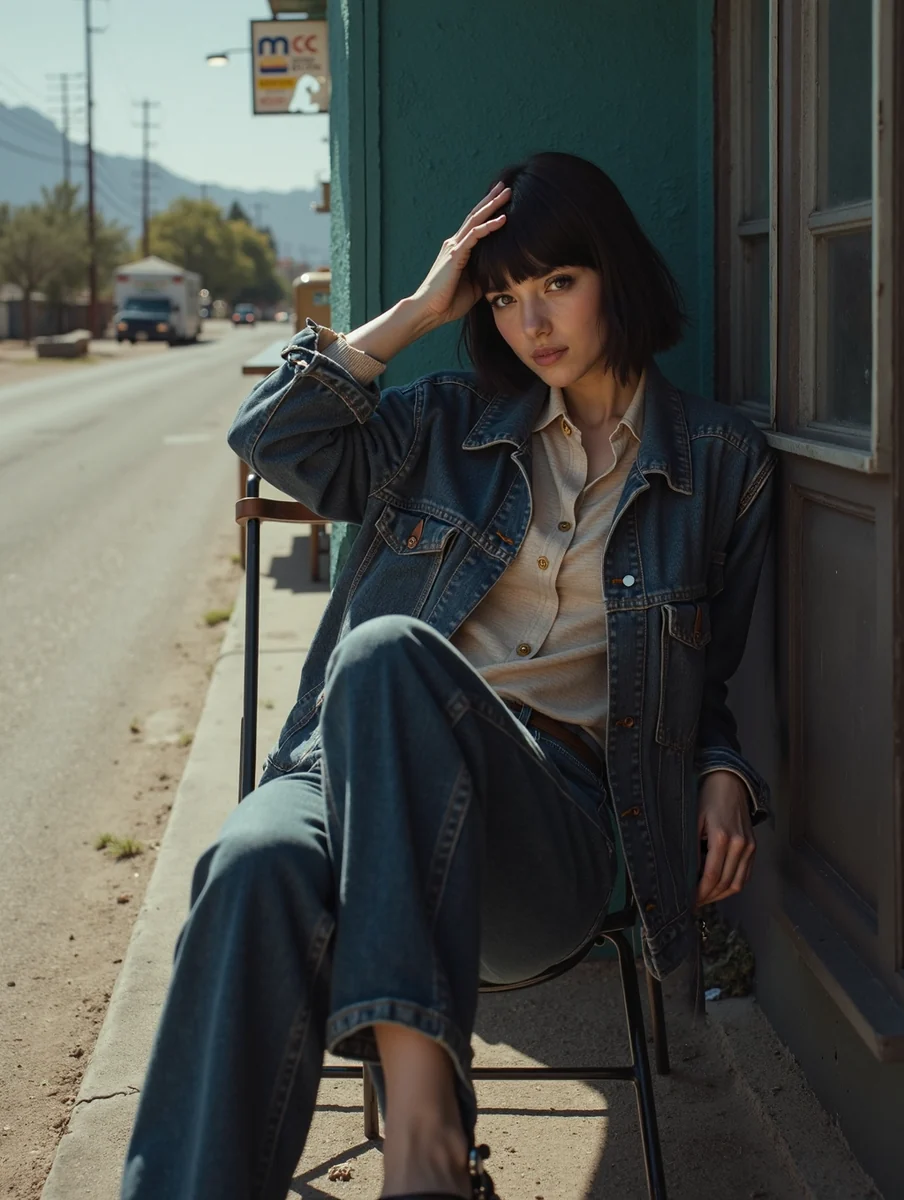
01.4.3 / Garment application
From base image to Dickies look.
The three generated flat lays supply the garments for the final lifestyle image.
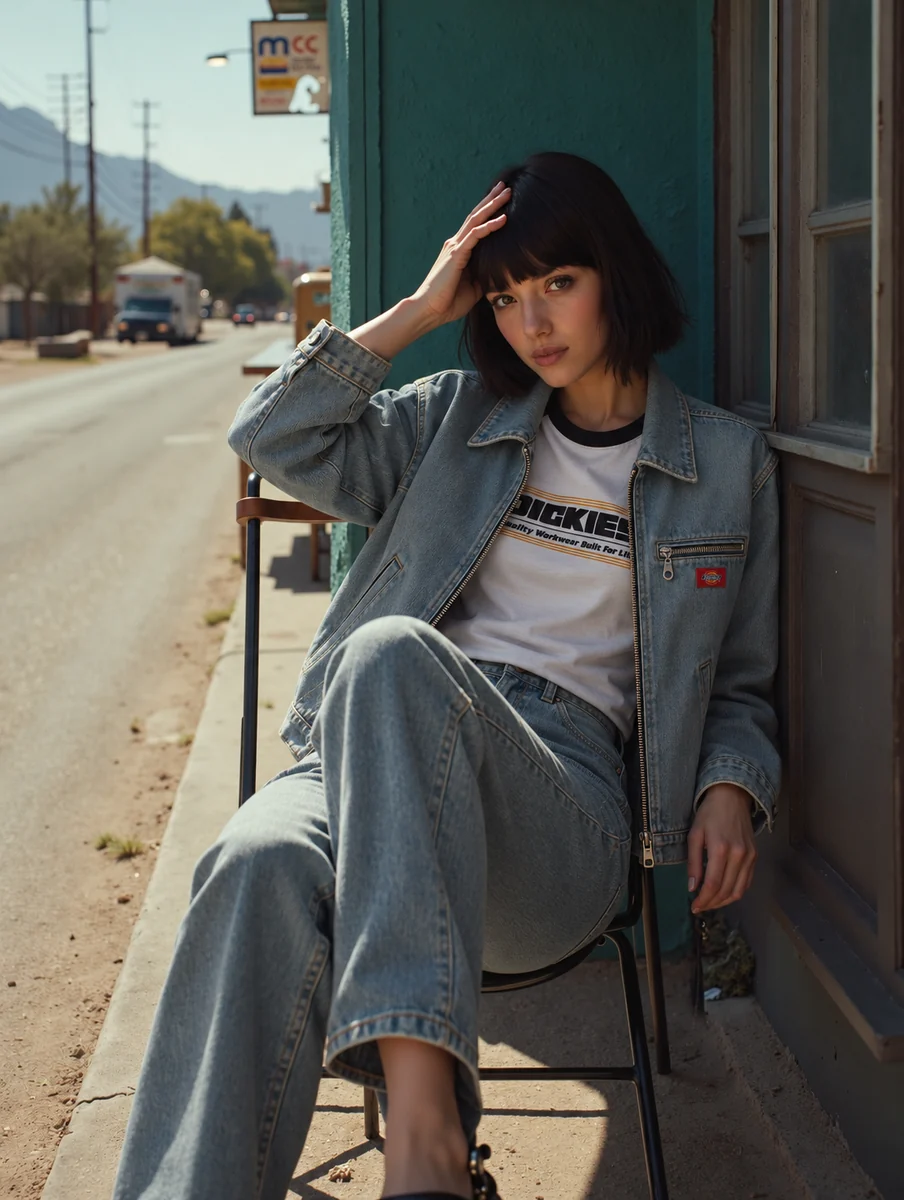
The base establishes the scene, subject and pose. Automatic area selection, inpainting and context windows apply the Dickies garments, followed by review against the brief.
01.4.4 / Workflow diagrams
The technical approach, made visible.
Two connected workflows, shown through their main inputs, controls and outputs.
01.4.4.1 / SDXL
CAD to product preview.
- INPUT
Garment CAD
The original garment drawing.
- PROCESS
SDXL · image-to-image
Generate a realistic product preview.
- Canny ControlNet · edge guidance
- Noise injection · 80%
- OUTPUT
Generated flat lay
Save the product image for the look workflow.
01.4.4.2 / FLUX · BASE SCENE
Condition the lifestyle scene.
- INPUTS
Pose + setting
Two distinct conditioning inputs.
- PROCESS
Flux · base generation
Establish the scene, subject and pose.
- ControlNet for Flux · pose
- IP-Adapter · setting
- OUTPUT
Base image
The lifestyle scene before Dickies garment replacement.
01.4.4.3 / FLUX · GARMENT APPLICATION
Apply the Dickies garments.
- INPUTS
Base + three flat lays
Load each garment as a separate image.
- PROCESS
Local garment replacement
Select and update the garment areas.
- Automatic area selection
- Context windows + inpainting
- OUTPUT
Dickies look
Review the garments and styling against the brief.
Simplified workflow diagrams. Product images are saved from the SDXL workflow and loaded into the workflow that develops the look. Model testing informed the prompting approach for each model.